Software · 26 November, 2026
Password Managers: How to Build Safe and Organized Login Habits
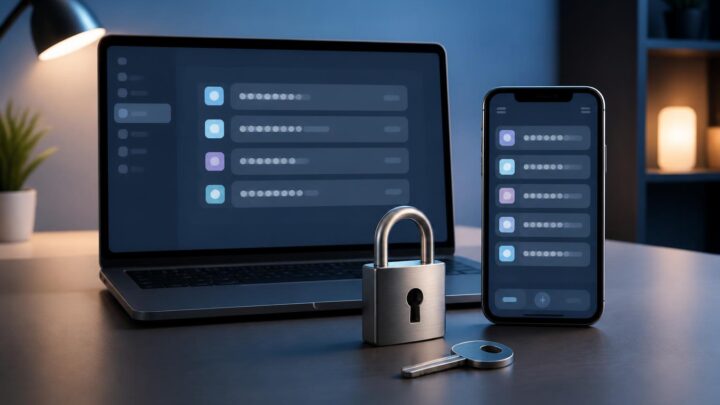
Passwords remain a familiar part of digital life, from email accounts, social media, and online banking to work and shopping services. The problem is that the number of accounts continues to grow, while each person’s ability to remember them is limited. When logging in frequently, many people choose to use one password for multiple services, write passwords down in places where they can easily be exposed, or create overly simple variations. These practices are convenient in the short term but allow risks to spread if one account is compromised.
Password managers were developed to address this problem. This type of software allows users to store login information in a protected data vault while also supporting the creation of long, different passwords for each service. The tool does not completely replace the user’s caution, but it can significantly reduce the pressure to remember every password and make the login process more consistent.
How Do Password Managers Work?
Basically, password management software stores separate information entries for each account. An entry may include the service name, website address, username, password, and additional notes. Users only need to open the data vault with a master password and then find the information they need when logging in on a computer or mobile device.
Many tools also offer browser extensions and mobile apps. When visiting a login page, the software can recognize the service address and suggest filling in the appropriate information. Some tools also support saving new information when users register an account, generating random passwords, and issuing warnings when a data entry is incomplete or appears to be duplicated. Specific features vary by product, so users should check carefully before deciding to use one over the long term.
The important point to understand is that the master password has a special role. It is the information used to open the password vault or recover access through the mechanism provided by the service. If the master password is too weak, easy to guess, or used elsewhere, the entire protection model loses its most important component. Therefore, choosing and protecting the master password should be considered a foundational setup step, not a formality to be handled casually.
Practical Benefits for Individual Users
The most obvious benefit is the ability to use a separate password for each account. When every service has different login information, an incident in one place does not immediately cause other accounts to be opened in the same way. Users also no longer have to choose between two extremes: remembering a small number of simple passwords or repeatedly resetting passwords because they have forgotten them.
Password managers also help create a safer account-registration process. Instead of coming up with a short string related to a name, date, or personal habit, users can let the software generate a difficult-to-guess password. That password can be longer and does not need to be connected to information the user would normally remember. When logging in, the data vault provides the information again without requiring the user to memorize every character.
For people who use multiple devices, synchronization can provide considerable convenience. An account updated on a computer may appear on a phone or another device if the service supports synchronization. However, this convenience must be accompanied by the protection of each device. An unlocked phone, a shared computer, or a browser that stores a login session can all become weak points if left unattended.
In addition to login information, some software also allows users to store secure notes, recovery codes, connection information, or form data. This functionality can be useful, but users should categorize information and store only what is truly necessary. The more sensitive information a data vault contains, the more seriously it needs to be protected and reviewed regularly.
Criteria for Choosing Suitable Software
A tool should not be chosen solely because it has an attractive interface or is advertised as having many features. First, check whether the software fully supports the devices and operating systems you currently use. If the tool works well on only one device, switching to another may become inconvenient and could even cause users to return to the unsafe habit of storing passwords improperly.
The ability to export and import data also deserves attention. A suitable tool should allow users to understand where their data is stored, whether they can move the data if they need to change services, and how this process is protected. Data should not be exported casually on a public computer or saved as an unencrypted file in an easily accessible folder. This feature exists to preserve control, not to create countless additional copies.
Users should also learn how the service handles synchronization, account recovery, and support when access information is forgotten. An overly simple recovery process may create additional risks, while an excessively strict process may cause users to lose access if they have not prepared in advance. Read the product’s official instructions, check its security options, and consider your own ability to manage the system.
The interface and search capabilities are not secondary factors. When the data vault contains many entries, finding the right account, updating a password, or deleting an old record should be straightforward. Software that makes basic operations confusing will reduce the likelihood that users maintain good habits. The user experience should be simple enough that security does not feel like a daily obstacle.
Initial Setup to Avoid Mistakes
Immediately after installation, users should begin by creating a master password that is long, difficult to guess, and has never been used for another service. Do not rely on publicly available information such as a name, date of birth, company name, or a phrase that can easily be associated with the individual. If the software supports additional protection options, consider enabling them after understanding how they work and how to recover access if the device is lost.
Next, enter data by category instead of hastily putting all information into the vault at once. You can start with your primary email, work account, payment services, and frequently used accounts. During this process, delete duplicate entries, update service names so they are easy to recognize, and note accounts that are no longer in use. Initial cleanup makes the data vault easier to manage later.
This is also an appropriate time to change passwords that are being reused in multiple places. There is no need to do everything in one session if the list is too long. Prioritize accounts containing a great deal of personal information or those that can grant access to other services. After each change, immediately update the record in the password manager to avoid a situation in which the software stores the old password while the user remembers the new one.
If a service supports multi-factor authentication, a password manager should not be considered a replacement for that additional layer of protection. Each layer serves a separate purpose. Strong, unique passwords reduce the risk of guessing or reusing information, while multi-factor authentication requires an additional factor during login. Users should store recovery codes according to each service’s instructions and avoid placing all backup information in one location.
Risks That Need to Be Controlled
A password manager is not a magic box that can eliminate every risk. Email scams, fake websites, malware, and compromised devices can still cause login information to be exposed. Therefore, users need to check website addresses before entering data, be cautious with unexpected links, and avoid entering the master password into suspicious windows.
Autofill should also be used deliberately. If a browser or extension incorrectly identifies a website, information may be filled in on an inappropriate page. When a website address shows signs of being unusual, stop the process and open the service by accessing it through a trusted bookmark or manually entering a known address. Automatic actions should not be treated as proof that a website is definitely safe.
Personal devices also need to be updated and protected with a screen lock. When a computer or phone falls into someone else’s hands while unlocked, the software’s protective layers may no longer have the same meaning as they did initially. Log out of or lock the data vault when leaving a device, especially in shared workplaces, libraries, cafés, or when lending the device to someone else.
Another mistake is relying on only one device without preparing a backup plan. Users should know how to access their account on an alternative device according to the service’s rules, while also storing necessary recovery codes in a safe place. The goal is not to create as many copies as possible, but to have a reasonable plan in case the phone is lost, the computer breaks, or the login session is deleted.
How to Keep a Password Vault Reliable
After setup, the password vault should be treated as living data. Whenever you change a password, update it immediately. When you close an account, delete or mark the corresponding entry to avoid confusion. Periodically check for duplicate entries, information that is no longer in use, and accounts with important access privileges. An organized data vault helps reduce errors when logging in or handling incidents.
Users should also take time to review the devices currently signed in to the password management account. If you find a device that is no longer in use, revoke its access session using the option provided by the service. Do not share a personal password management account with others. For shared use within a family or organization, choose a dedicated sharing model with permissions and the ability to revoke access when necessary.
The most important thing is to build consistent habits. Use the software to create new passwords rather than merely storing old ones, carefully check login pages, and respond proactively to warnings. The tool is effective only when users understand its limitations and do not ignore unusual signs.
Conclusion
Password managers are a practical solution to the growing number of accounts and login credentials. They help users rely less on memory, create a separate password for each service, and manage data in a more organized way. However, protective effectiveness does not depend on the software alone. The master password must be strong, devices must be locked, additional authentication layers should be considered, and users must remain alert to fake websites.
Rather than looking for a tool that can handle every problem, choose software that suits your devices and ability to use it, then set it up step by step and maintain the data vault regularly. When the secure login process becomes simple, protecting accounts will depend less on the user’s ability to remember things or on luck.
Related articles

Task Management Software for Small Teams: Choosing the Right Tool for Smooth Operations
In a small team, work often begins with quick conversations, scattered messages, and a few personal notes. This approach may still work when there are not many tasks, but its limitations quickly become apparent when the team is handling multiple projects at the same time, has people working remotely, or needs to coordinate with clients.
Read more
Computer Performance Monitoring Software: Reading Data Correctly to Troubleshoot Problems Early
Computers do not usually fail suddenly with absolutely no warning. An application opening more slowly, delayed window switching, a fan running continuously, or an unstable network connection can all indicate that a problem is developing. However, relying only on impressions makes it very easy for users to misdiagnose the issue. A slow computer may be
Read more
Personal Data Backup Software: How to Choose the Right Tool and Use It Properly
Personal data is often accumulated quietly over many years. A folder may contain family photos, work records, study materials, invoices, or files that are not easy to recreate. However, many people only recognize the value of their data after a computer’s storage drive fails, a phone is lost, an account is locked, or an important
Read more
Internal Document Management Software: Building an Easy-to-Find, Easy-to-Use Knowledge Repository
In many businesses, documents do not disappear, but they are often scattered. A set of instructions may be stored on a former employee’s computer, a form may be sent by email, meeting minutes may be buried in a chat group, while the latest version of a procedure is saved in a folder that not everyone
Read more
Password Management Software: A Foundation for Building Sustainable Security Habits
In daily work, a person may need to log in to email, website administration systems, cloud storage services, accounting software, online meeting platforms, and many other professional accounts. As the number of accounts grows, remembering login details becomes a difficult problem. Many people choose to use a familiar password for multiple services, save passwords in
Read more
Project Management Software for Small Teams: Turning Fragmented Work into a Clear Workflow
In a small team, work often begins in very simple ways: a quick conversation, a few lines of notes, a spreadsheet, or a reminder sent by email. These methods may be sufficient when a project has only a few tasks and involves just a handful of people. But as the number of tasks grows, each
Read more