Software · 29 November, 2026
Personal Finance Management Software: From Recording Expenses to Proactive Decision-Making
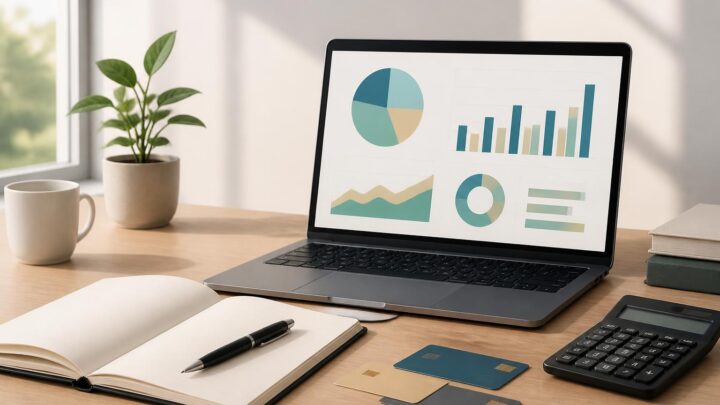
Managing money often begins with a very simple question: where did the money go this month? When payments are made through cash, bank cards, e-wallets, or various recurring services, remembering every expense accurately becomes difficult. Personal finance management software can help turn scattered records into a structured picture, thereby helping users clearly see their spending habits and make more appropriate decisions.
However, software does not automatically balance a budget. The real value of such a tool lies in its ability to reduce manual work, remind users to review their cash flow, and provide information at the right time. If data is entered incompletely, categorized incorrectly, or not reviewed regularly, even an application with many features will struggle to create lasting change. Therefore, choosing software should go hand in hand with a practical, simple, and sustainable process for using it.
What problems does personal finance management software solve?
At a basic level, personal finance management software allows users to record income, expenses, savings, payment obligations, and financial goals. Instead of viewing each transaction as an isolated event, users can group them into categories such as food and dining, transportation, housing, shopping, education, or entertainment. This organization makes it easier to identify recurring expenses and unusual changes in daily life.
Some tools also support budgeting by month, week, or individual goal. Users can set limits for a spending category, track how much has been used, and check how much of the budget remains. This is especially useful for people with irregular income, because plans can be adjusted from one period to another instead of being based on a fixed figure for the entire year.
Report aggregation features also help change the way people view their finances. A transaction list usually answers only the question of how much has been spent. Reports by period or category can raise more important questions: Which expenses are increasing? Which ones are only temporary? What portion of income is taken up by fixed costs? And are savings goals progressing?
Features that should be prioritized
Fast and flexible transaction recording
The ability to enter data quickly is the foundation of any financial management software. If every transaction requires too many steps, users are likely to skip entries or wait several days before recording them all at once. A suitable tool should allow users to enter the amount, time, category, and notes through a clear process. Editing transactions afterward should also be convenient, since an expense may be reclassified when the user reviews it more carefully.
If the software can synchronize data from financial accounts, users should still have the ability to check and confirm transactions. Automatically generated transaction names do not always accurately reflect the purpose of a purchase, while a single payment may need to be divided among several categories. Automation saves time, but it should not completely eliminate the user’s review process.
Adjustable spending categories
Categories are how software turns transactions into easy-to-read information. A system with too few categories will lack detail, while one with too many will make data entry cumbersome. A reasonable approach is to start with a number of groups that reflect real life, then add categories only when a genuine need for more detailed tracking arises.
Users should also distinguish between fixed and flexible expenses. Rent, tuition, or recurring payments generally need to be tracked differently from food, shopping, or entertainment. This distinction helps make budgeting better suited to the adjustability of each expense, rather than treating all costs as the same.
Budgets and financial goals
A budget should not be merely a spending limit. Useful software needs to show the period on which a budget is based, how much has been used, and how much remains. If users can create separate goals, they will find it easier to set aside money for a specific plan instead of mixing it with the amount available for daily spending.
Financial goals should be described clearly enough for progress to be checked. Instead of writing “save more” in general terms, users can set goals based on an amount, a deadline, or recurring contributions. The tool only supports tracking; the target amount and pace of progress still need to be based on each individual’s income, financial obligations, and level of stability.
Understandable reports instead of too many charts
An attractive chart does not necessarily mean useful information. A good report should quickly answer the issues users care about, such as total spending during a period, the largest categories, unplanned expenses, or changes compared with the previous period. Filters by time, account, and category often have more practical value than presenting too many metrics.
The ability to export data is also worth considering. When users can download or back up their transaction history in a suitable format, it becomes more convenient to store, review, and switch tools if necessary. Financial data is valuable information over the long term, so it should not be completely locked inside a single application.
Choosing software based on actual usage
There is no single software solution that suits everyone. Someone who primarily uses cash will have different needs from someone who conducts most transactions through bank accounts. A person with stable income may prioritize recurring budgets, while a freelancer may need to track multiple sources of income and irregular expenses.
Before choosing a tool, it is useful to describe the current process through a few specific questions. Do you need to record transactions manually, or do you want them aggregated automatically? Do you usually track one account or several? Do you want to manage personal finances separately, or share part of them with your family? Do you need simple reports, or do you want more in-depth analysis? The answers will help eliminate unnecessary features and focus on an experience that can be used regularly.
A mobile interface is often important for people who need to enter transactions immediately after making a payment. A desktop version is more convenient for viewing reports, planning, or reviewing data over an extended period. If multiple devices are used, synchronization capabilities and data consistency should be checked. An application that runs quickly but lacks a version suited to the user’s work habits may cause inconvenience later.
Privacy and data security
Personal financial information may include purchase history, income, linked accounts, and private plans. Therefore, security must be a primary criterion when evaluating software, not a secondary feature. Users should read the privacy policy to understand what data is collected, what it is used for, and whether it is shared with third parties.
A distinction should be made between software that only stores data entered by the user and software that connects to external financial accounts. The level of access, authentication methods, and ability to revoke connection permissions should all be checked. If a service is no longer being used, users should delete the data or disconnect the link according to the provider’s instructions, while also checking which devices remain logged in.
A unique password for the financial management service, multi-factor authentication where supported, and device locks are all basic but important measures. Passwords should not be stored where others can easily see them, and accounts should not be shared with people who do not need access. For applications that allow data export, backup files must also be protected like sensitive documents, especially when stored on a shared computer or an online storage service.
How to build sustainable usage habits
Implementation should begin with simple data. Users can enter the initial balance, primary sources of income, fixed expenses, and several commonly used spending categories. It is not necessary to create a perfect system from the first day, because too many rules can easily undermine motivation. After a few weeks, inconvenient aspects will reveal which categories need to be combined, divided, or renamed.
A short weekly review is often more practical than waiting until the end of the month to check every transaction. During the review, users can confirm uncategorized expenses, reconcile balances, examine unexpected costs, and adjust the budget if circumstances have changed. At the end of the month, reports should be used to identify a few specific actions rather than simply reviewing the figures and moving on.
The important thing is not to turn the software into a source of pressure. Some expenses are reasonable even if they were not included in the original plan, and a budget should reflect real life rather than an idealized model. When users discover that they have exceeded a limit, the purpose of tracking is to understand the reason and make adjustments for the next period, not to hide transactions or establish unrealistic rules.
Limitations to recognize
Financial management software only provides data and ways to present it. It cannot fully understand family circumstances, the priority of each goal, or unexpected changes at work. Forecasts based on old data may also become unsuitable when income or expenses change. Therefore, reports should be viewed as a basis for reflection, not as an absolute statement about the future.
Automatic categorization can also create inaccuracies if users do not check it. A transaction assigned to the wrong category will make a report lose its meaning, especially when users rely on the report to adjust their budget. During the initial stage, users should spend time reviewing recurring transactions and establishing clear categorization rules if the software supports them.
In addition, relying on a single tool can create difficulties if the service changes its policies, loses connectivity, or no longer meets the user’s needs. Regularly backing up data, saving necessary information, and evaluating the software after using it for a period of time will help reduce this risk.
Conclusion
Personal finance management software is most valuable when it helps users see their cash flow clearly and develop a habit of reviewing it regularly. The features that should be prioritized are convenient data entry, flexible categorization, easy-to-understand budgets, purposeful reports, and reliable data protection mechanisms. A tool that is sufficient for the user’s needs and used regularly is often more effective than a complex system that is quickly abandoned.
Before making a decision, start with the problem you want to solve rather than a long list of features. When data is recorded transparently, reviewed periodically, and connected to specific goals, software becomes part of the decision-making process. It does not replace financial discipline, but it can make that discipline easier to practice and verify.
Related articles
Data Backup Software: Building a Reliable Protection Layer for Important Files
Data on a computer is often treated as something that can be reopened at any time—until an incident causes a file to disappear or become inaccessible. An accidentally deleted document folder, a failed storage drive, malware infecting a computer, or a problem with a cloud account can all disrupt work. In such situations, data backup
Read more
Task Management Software: Turning To-Do Lists into a Clear Workflow
In many teams, the problem is not a lack of people to do the work, but the fact that work is scattered across too many places. One task appears in a meeting, another request sits in an email inbox, a few changes are discussed through a messaging app, while actual progress is updated only when
Read more
Password Managers: How to Use Software to Manage Accounts More Securely
Passwords remain the familiar layer of protection for most online accounts, from email and social media to shopping services and work platforms. The problem is that the number of accounts a person has continues to grow, while remembering dozens of different character strings is nearly impossible. As a result, many people use one password for
Read more
PDF Software for Everyday Work: Read, Annotate, and Process Documents More Efficiently
PDF has become a familiar format in education, office work, and online transactions. Contracts, quotations, instruction manuals, forms, invoices, and résumés are often shared in this format because their layout remains relatively consistent across different devices. However, users’ practical needs go beyond simply opening and reading files. Many people need to quickly find a passage,
Read more
Personal Data Backup Software: Building a Layer of Protection Before Disaster Strikes
Personal data often disappears not because users do not value it, but because backups are postponed for too long. Family photos, work documents, academic records, electronic invoices, or project files may be stored on a computer for years without a reliable backup. By the time a drive fails, a device is stolen, or a security
Read more
Task Management Software for Small Teams: Choosing the Right Tool for Smooth Operations
In a small team, work often begins with quick conversations, scattered messages, and a few personal notes. This approach may still work when there are not many tasks, but its limitations quickly become apparent when the team is handling multiple projects at the same time, has people working remotely, or needs to coordinate with clients.
Read more