

Technology Asset Management Software: A Platform for Controlling Devices, Licenses, and Usage Lifecycles

In many businesses, technology assets often grow at the same pace as the expansion of the workforce and business operations. Laptops issued to employees, monitors placed in offices, network equipment, servers, work phones, and software license packages may be scattered across multiple departments. When information is tracked using spreadsheets or manual notes, determining where a device is, who it belongs to, and whether its warranty is still valid quickly becomes difficult.
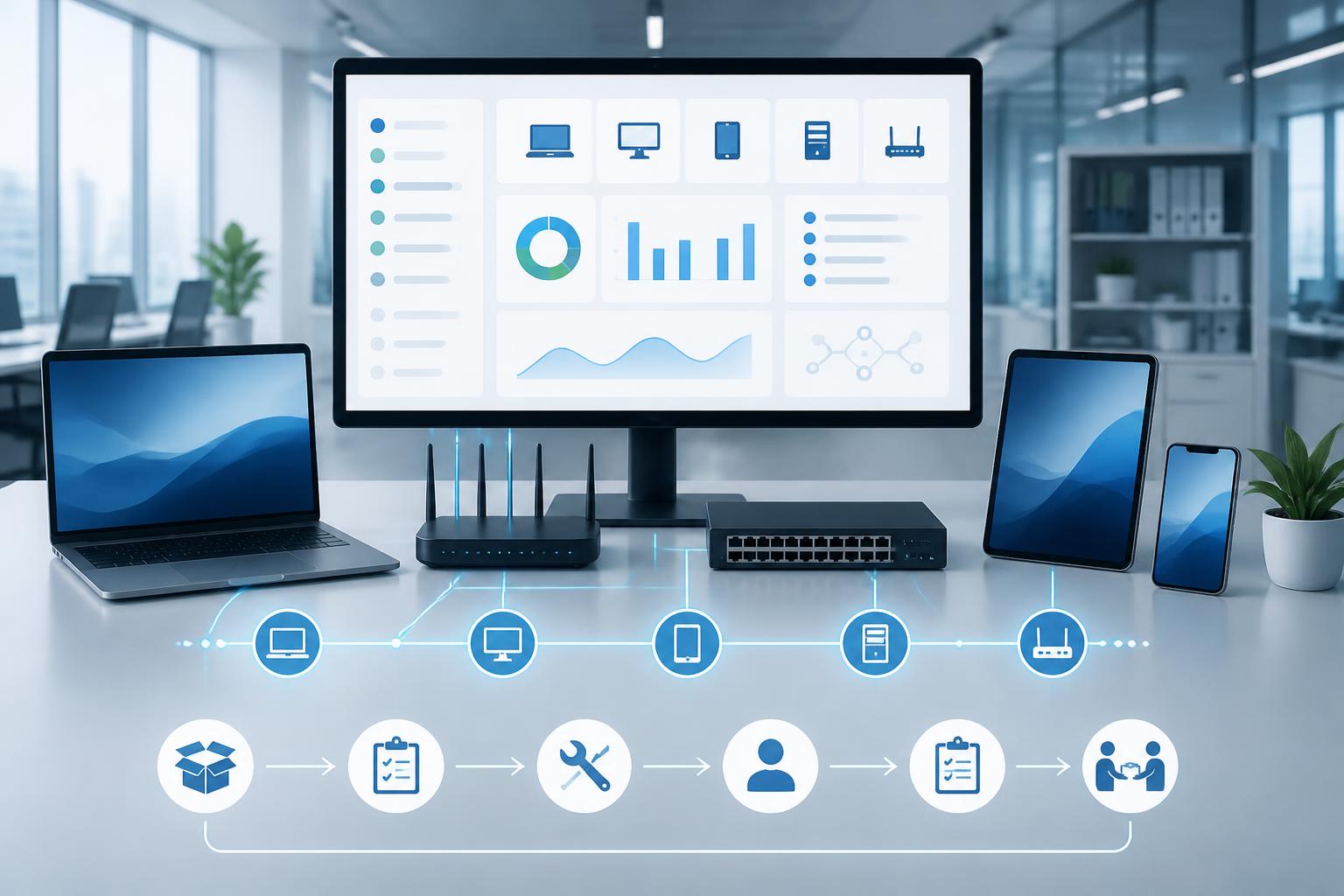
Technology asset management software is designed to address this challenge through a centralized system. The tool does more than store a list of devices; it also records the processes of purchasing, handover, repair, transfer, retrieval, and disposal. With the right software, the information technology department can clearly see the current status of assets, while the administration and finance departments gain a stronger basis for budgeting, cost control, and evaluating usage efficiency.
Technology asset management is more than creating a list of devices
A simple list usually contains only the device name, asset ID, and current user. This approach may meet the needs of a small-scale operation, but its limitations quickly become apparent as the number of assets increases. A computer may be transferred from the sales department to customer service, sent in for warranty repair, and then issued to someone else. If these changes are not updated promptly, the data in the spreadsheet will no longer reflect reality.
Specialized software makes it possible to describe an asset throughout its entire lifecycle. Each device can include information about the supplier, purchase date, original value, warranty period, configuration, location, person in charge, and current status. Handover and repair events are stored as history, helping the business understand what changes an asset has undergone rather than seeing only its status at the present time.
The scope of management can also be extended to software assets. Businesses need to know which applications are installed, which accounts are using licenses, and when the next renewal is due. This is particularly useful when an organization has many subscription services or multiple software packages purchased at different times.
Core functions to have
Centralized asset records
The first function to consider is the ability to create a standardized record for each asset. The record should contain information fields suited to the company’s actual processes and allow invoices, handover reports, repair forms, or related documents to be attached. When data is stored in a structured system, searching by asset ID, user, department, or location becomes much easier than opening multiple separate files.
Businesses should not add every conceivable information field to records from the outset. An overly complex system will discourage employees from updating it and reduce data quality. A reasonable approach is to start with essential information, then add new fields when a clear management need arises.
Tracking handovers and transfers
The handover process is where asset data often becomes inaccurate. Software can support the creation of handover forms, identifying the transferring party, receiving party, time of completion, and condition of the device. When an employee changes departments or leaves the company, the system can also record the retrieval, inspection, and reissuance of assets.
Transfer history helps distinguish between a device that is not in use and one that has been lost. This is an important distinction in inventory work. Instead of having to ask multiple departments, the person in charge can start with the most recent record and determine the next step to investigate.
Warranty and software renewal reminders
Information about deadlines is often overlooked when it is stored only in emails or spreadsheets. An asset management platform should allow reminders to be set for warranty expiration dates, maintenance schedules, subscription terms, and dates when contracts need to be reevaluated. Reminders do not replace the decision-making process, but they give the organization enough time to consider repair, replacement, or continued use.
For software licenses, the data should show the number of usage rights, the responsible department, and the allocation status. With this information, businesses can reduce duplicate purchases, avoid maintaining packages that are no longer needed, and prevent employees from using accounts in violation of regulations.
Inventory and reporting
Effective inventory management is not simply a matter of printing a list and checking items off manually. Software can support filtering assets by status, location, device group, or user, and then record the results of the reconciliation. Summary reports help managers identify asset groups that are too old, frequently incur repair costs, or are no longer being used at their intended capacity.
A system should not be evaluated solely on the number of reports available. Its real value lies in its ability to create reports that answer management questions. For example, a business may need to know the total number of devices awaiting repair, which assets have no person in charge, or which licenses will expire within a forthcoming period.
Benefits for departments across the business
The information technology department is often the direct beneficiary. Technical staff can look up configurations and support histories before handling an incident. When a device needs to be replaced, they have additional data for checking components, warranty status, and previous repairs. As a result, the support process depends less on the memory of any one individual.
The finance department can use asset data to reconcile purchasing costs, allocate budgets, and track usage value. The data in the software does not automatically replace the accounting system, but it provides the operational information needed to support better-informed decisions about new purchases or disposal.
For human resources and administration, the system helps link assets to employee onboarding, transfers, and departures. When an employee leaves the organization, the list of assets that need to be retrieved can be clearly identified. This reduces the risk of overlooking devices, accounts, or accompanying accessories.
Management can also see the bigger picture. Instead of knowing only how much the business has spent on technology, managers can view how assets are allocated, which groups require additional investment, and which expenses can be optimized.
Security and access control factors
Technology asset data may contain sensitive information such as system configurations, device locations, supplier information, and user names. Therefore, the software needs an appropriate access-control mechanism. Employees may be allowed to view only the assets belonging to their department, while asset managers may have permission to update statuses and administrators may have permission to configure the entire system.
Activity logs are also very important. The system should indicate which record was changed, who made the change, and when it occurred. Traceability helps detect inaccurate data, supports internal audits, and limits uncontrolled editing. Businesses also need to consider how backups are made, how long data is retained, and the procedure to follow when an account is locked.
Broad access should not be granted merely to speed up implementation. Strict access control from the outset is generally easier to maintain than correcting the consequences after data has been changed or shared with the wrong people. In addition to software functionality, employees need guidance on naming assets, updating statuses, and handling records during handovers.
How to implement the system so data does not quickly become outdated
The biggest challenge is not installing the software but establishing a consistent update process. Before entering data, the business should agree on what constitutes an asset, how IDs are assigned, which statuses are used, and who is responsible for each step. If every department uses different terms, the system will struggle to produce meaningful reports.
The initial phase should focus on important asset groups or those with large quantities. The business can conduct an inventory, clean the data, and test the handover process on a limited scale before expanding. A phased implementation helps identify unnecessary information fields, approval points that cause delays, and exceptional situations.
Update responsibilities need to be clearly defined. The information technology department may manage technical specifications, the administration department may track handovers, and the finance department may reconcile costs. One person or one team should be responsible for checking data completeness, but every minor change should not be turned into a complicated approval procedure.
After the system is operational, the business should periodically check data quality. Records missing a user, lacking a status, or not updated for too long should be added to an action list. Software creates value only when the information it contains reasonably reflects actual conditions.
Criteria for choosing suitable software
The company’s size and organizational structure determine the level of complexity required. A small team may prioritize a simple interface, fast search, and a clear handover process. A larger organization may need multiple levels of access control, integration with human resources systems, support for multiple locations, and flexible reporting tools.
Scalability also needs to be considered. The software should support the addition of asset types, departments, and users without forcing the business to change its entire process. In addition, the business should assess how data can be exported, backed up, and transferred if the organization changes platforms in the future.
Costs include more than the license price. Businesses need to account for the time required to clean data, provide training, configure the system, obtain technical support, and maintain the information. A product with many features but poor usability may create higher operating costs than a sufficiently capable tool that is updated regularly.
From passive inventory checks to proactive management
Technology asset management software cannot solve every issue related to purchasing, security, or operations on its own. However, it provides a foundational data layer that allows those processes to be carried out more consistently. When a business knows where its assets are, who is responsible for them, what condition they are in, and how they have been used, related decisions become less dependent on guesswork.
The system’s long-term value lies in turning everyday changes into controllable data. Every device that is handed over, repaired, or retrieved leaves a clear record. As a result, the business can reduce losses, use its budget more effectively, and build transparent technology processes. This is an important shift from reactive asset management to a proactive management model suited to a work environment that increasingly depends on technology.